|
     |
Table of Contents
The Secure Shell protocol used by the Tectia client/server solution provides mutual authentication – the client authenticates the server and the server authenticates the client users. Both parties are assured of the identity of the other party.
The Tectia Server host can authenticate itself to the client using either public-key authentication or certificate authentication.
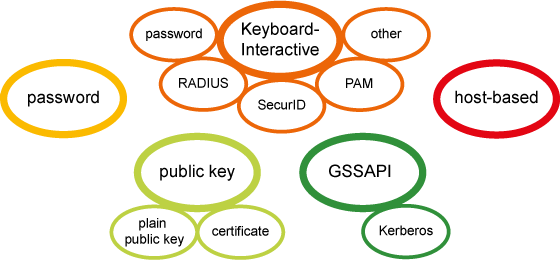
Different methods can be used to authenticate Secure Shell client users. These authentication methods can be used separately or combined, depending on the level of functionality and security you want. The server defines what methods are allowed, and the client defines the order in which they will be tried. The least interactive methods should be tried first. In case several interactive authentication methods are defined for user authentication, the client-side will alternate between the methods on each failed authentication attempt.
Tectia Server allows GSSAPI, public-key, keyboard-interactive, and password in user authentication by default.
| |